

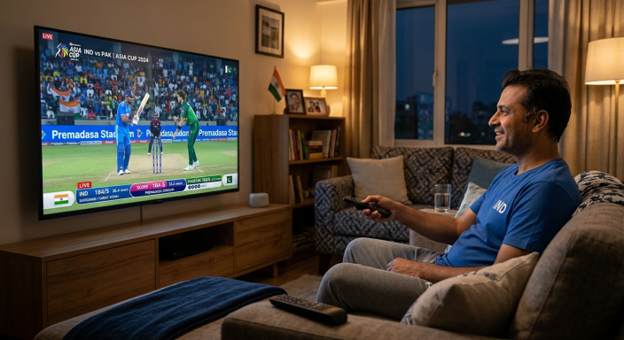
A friend of ours, Raj, signed up for an IPTV service last year purely because of the website. Everything about it looked right. There was a slick design, a counter claiming “22,000+ channels,” and a shiny 4K badge.
He paid for twelve months on a Thursday. On Saturday, India played Pakistan.
He got about four overs in before the picture froze. He restarted the app, then the Firestick, then the router. By the time it came back, Rohit was already out and Raj had missed it. He still brings it up.
That’s the whole reason a 24 hour IPTV trial matters. A website can look perfect and still fall apart the minute it actually matters. A trial lets you find that out before your money’s gone, not after. So let’s talk about how to use that one day properly.
Why a Short Trial Matters
Every IPTV seller says they’re “buffer-free.” Every single one. You can’t judge a service by what it says about itself. You have to watch it.
And one full day gives you a surprisingly fair picture. Mornings are calm, and almost anything streams fine at 10 a.m. Then evening comes. Dinner’s done, everyone sits down, and the whole neighbourhood switches on at once. That’s when weaker servers start to wobble.
What a Full Day Can Reveal
- Whether channels open straight away or sit there on that spinning circle
- How the picture looks on your own TV, in your own living room, not in a shiny ad
- Whether the stream holds up at 9 p.m., when it really counts
- How long support takes to reply when you actually need them
Then there’s the money. If the trial goes badly, all you’ve lost is a few hours. Raj lost a year’s subscription. That’s the difference.
Write Down What You Need
Before you even ask for a free IPTV trial, take a few minutes to figure out what “good” looks like for your house. Otherwise you’ll spend the day flicking around without really testing anything. We’ve done it ourselves.
- Languages: What does everyone actually watch? Maybe Mummy has her Hindi serial at 8, Papa wants Tamil movies on weekends, your cousin can’t live without Punjabi music channels, and you just want the news. Write it all down.
- Devices: Go room by room. The big Smart TV, the Firestick upstairs, three or four phones, the laptop nobody admits to using for YouTube.
- Connections: How many screens are on at the same time on a normal evening? Be realistic here.
- Internet speed: As a rough rule, around 20 Mbps for HD and 50 Mbps or more if you want 4K.
- Budget: Pick a yearly amount you’re comfortable with. Then don’t let a flashing “LIMITED OFFER” talk you out of it.
Read IPTV Subscription Reviews with Care
Reviews can be really useful. But you’ve got to read them a bit like a detective. A wall of five stars doesn’t tell you much. Patterns do.
Signs of a Useful Review
- It mentions a real device and channel, like “Fire Stick 4K, Colors TV, smooth all week”
- It talks about something going wrong and how support handled it
- It mentions a time of day or a specific match
- It’s on an independent site or forum, not just the seller’s own website
Signs to Question
- Five different “customers” all using suspiciously similar wording
- “Best service ever!!! 10/10!!!” and nothing else
- Not one single complaint anywhere, which no real business has
Look at the dates too. A service that worked brilliantly last summer might be a mess this winter. Recent IPTV reviews matter much more than old ones. So treat IPTV subscription reviews as a way to build your shortlist. Your own trial gets the final say.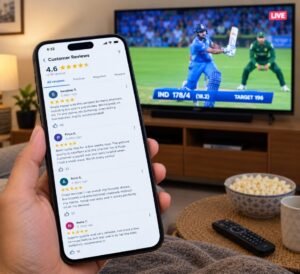
Test Like a Regular Viewer
This is where most people go wrong. They put on one channel, leave it playing in the background while they cook, and later say “yeah, seemed fine.”
That isn’t really a test. Use it the way your family actually would, spread across the whole day.
A Simple 24-Hour Test Plan
- Morning: Open five or six different channels. Count roughly how long each one takes to start. Two seconds? Ten?
- Afternoon: Go into the on-demand section. Start a movie, then skip ahead 20 minutes. Does it pick up quickly or just sit there thinking?
- Evening: This is the big one. Put on live sport or the news around 8 or 9 p.m. and actually watch. Look for any freezing, stuttering or blurry patches.
- Second device: Grab your phone or go to the bedroom TV and do a quick check there too.
- Support: Message them with a real question, even something simple like “how do I add this to TiviMate?” Then check how long they take to answer.
Notes Worth Keeping
- What time each problem happened
- Which channel it was
- Your internet speed right then
Please write it down. We know it feels a bit much. But by tomorrow morning, you’ll have forgotten half of it. That one freeze will either feel like the end of the world or like it never happened. A few lines in your phone’s notes app keeps you fair to the provider and fair to yourself.
Quick reminder, though. Sometimes it really is your Wi-Fi and not the provider. Run a speed test before you start so you know what you’re working with.
Confirm the Service Is Trustworthy
Price shouldn’t be the only thing that decides it. Before you buy IPTV subscription plans from anyone, have a proper look at who you’re actually paying.
- Ask them directly whether they have the rights to the channels they’re selling.
- Look for terms of service, a refund policy and a privacy statement. If they’re missing, that tells you something.
- Find real contact details. A little chat bubble in the corner isn’t enough.
- Pay with something that leaves a trail and gives you some protection, like a credit card or PayPal.
If a price is way lower than everyone else’s, stop and think for a second. Content rights cost real money, so someone charging next to nothing is cutting corners somewhere. Usually it’s the bit you’ll notice later.
Also notice how they answer you. A provider with nothing to hide gives a straight answer, and quickly. If you get a lot of dodging and “don’t worry sir, everything is fine,” pay attention to that.
Mistakes That Can Skew Your Trial Results
The most common one? Judging the whole 24-hour IPTV trial on a single bad moment. It freezes once at 9 p.m. and you’ve made up your mind.
But think about what was going on at home right then. The TV’s in the far corner of the house, two walls away from the router. Your daughter’s streaming Netflix upstairs. Your son’s downloading a 60 GB game. The provider might be doing just fine, and your Wi-Fi is the one struggling. If you can, plug the TV or box straight into the router with a cable for the test, or at least sit closer to it. You’ll get a much fairer picture.
The second mistake is only testing during the day. Daytime is easy mode. Hardly anyone’s watching, so pretty much every server looks good. Evenings are when you learn the truth, and that’s also when your family will be using it most.
Keep one device on a steady connection, go back to the same channels at a few different times, and line your notes up at the end. The answer is usually pretty obvious by then.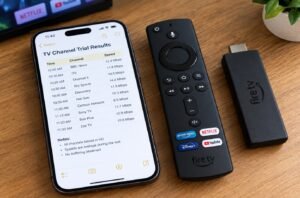
Compare Plans Before You Pay
Trial went well? Lovely. Now comes the part where you purchase an IPTV plan that actually suits your household, not just the one with the biggest “SAVE 50%” sticker.
What to Compare
- Plan length: Yearly and two-year plans are cheaper per month, no doubt. But you’re locked in for a long time if things go downhill.
- Simultaneous screens: Check the number. Don’t assume. Families get caught out by this all the time.
- Activation time: How soon do the login details arrive after you pay? Five minutes is great. “Within 48 hours” is not.
- Renewal terms: Ask what renewal costs before you pay the first time. Not after.
- Setup help: Do they have guides for your exact device? Will someone actually help if your dad gets stuck?
A Practical Tip
If they have a shorter plan, start there. Give them a few weeks to prove themselves. If it’s all good, moving to a longer plan takes two minutes. Getting money back on a 12-month plan you regret? Good luck with that one. Just ask Raj.
Conclusion
At the end of the day, you want to choose based on what you’ve seen with your own eyes, not what a banner told you. Use the full day, read reviews with a bit of suspicion, check who’s behind the service, and compare the plans properly before paying. Do that, and you’ll be fine.
At Champ IPTV, we give you a 24-hour free trial so you can try the channels, check the picture quality and test your own devices before choosing any plan. Watch your family’s shows. Catch a match in the evening. Annoy our support team with questions. Then decide. If you do pick us, we’d want it to be because the trial won you over, and nothing else.
Frequently Asked Questions
What should I check during a 24 hour IPTV trial?
Check how quickly channels load, how sharp the picture is, whether on-demand plays smoothly and, most importantly, whether streams stay steady in the evening. Try it on at least two devices and send support one message. Keep a few notes as you go so you’re not relying on memory later.
How can I judge IPTV subscription reviews?
Look for details like device names, channel names and how a problem got fixed. Reviews on independent sites, and recent ones, are more trustworthy. If a bunch of reviews sound the same or just say “amazing!!” with nothing else, take them with a pinch of salt.
Are free IPTV trials really free?
They should be. You shouldn’t have to buy anything to get one. If a provider asks for your card details, read the cancellation terms carefully and set a reminder on your phone for when the trial ends. Clear, simple terms are a good sign.
Is there the same level of quality assured in the trial for the subscription service?
No, since server load fluctuates, especially during major sporting events. That is why testing at peak times is essential, as well as beginning with a shorter subscription period before making a commitment to one-year contract.