


Last year a neighbor of ours paid for a whole year of streaming up front. He got a good deal, or so he thought. By week three half his channels had stopped loading, and the guy who sold it to him had stopped answering messages on WhatsApp. He never got his money back.
We hear stories like this a lot more than we’d like. Finding an iptv service provider usa families can actually depend on takes a bit of homework, but you don’t need a tech degree for it. You just need to know what to check. That’s why we wrote this list.
Why a Proper Comparison Matters
Open five IPTV websites and they’ll start to blur together. Every one of them promises thousands of channels, crystal clear picture and prices that seem too good to pass up.
Usually you don’t see the real difference on day one. You see it on a Friday night when the whole family sits down to watch something and the screen keeps buffering. Or in the last over of a big match, when the stream decides to freeze.
So comparing properly does save you money, but mostly it saves you a lot of stress. We want you to land on the best iptv service usa has to offer for your home, your language and your budget, whoever the provider turns out to be.
What Most Households Expect
- Live channels that open fast and keep playing
- Shows in the language they grew up with
- A price that’s clear, with no surprises at renewal time
- A real person to talk to when something breaks
Review the Channel Lineup
A banner that says “20,000 channels!” sounds impressive, but what does it really tell you? Not much. What matters is whether the five or six channels your family watches every day are on the list.
So ask the seller for the full channel list in your language, and take your time going through it. If your parents only watch one Telugu news channel, check that it’s there. Don’t assume it is.
Tips for Checking Channels
- Look for your regional news, serials and kids’ channels
- Make sure sports and devotional channels are included (people forget these)
- Ask which channels are actually HD or 4K, since lots of lists exaggerate
- Find out how often they add new movies and shows to on-demand
Test Streaming Quality
At 2 in the afternoon, almost any stream looks great. At 8 in the evening, when everyone in the country is watching, it’s a different story. When you test matters a lot.
Any reliable iptv service should give you a free trial. Treat that trial like a test drive. If you use it properly, a 24-hour trial will tell you more than any review you’ll read online.
A Simple Trial Routine
- Sit down in the evening and watch one live channel for at least half an hour.
- Switch between five or six channels and notice how long each one takes to start.
- Watch some live sport if you can. Fast movement exposes weak streams very quickly.
- Play a couple of movies from on-demand and see if they stop to buffer.
- Then do it all again on the weekend.
Confirm Device and App Support
It’s no use paying for a great service if it won’t work on the TV in your living room. People find this out after paying more often than you’d think, so check first.
Devices Worth Asking About
- Smart TVs and Android TV
- Amazon Fire TV Stick
- Android phones, iPhones and tablets
- Windows laptops and Macs
- Set-top boxes like MAG
While you’re asking, also find out which player apps the login works with. IPTV Smarters Pro and TiviMate are the two names you’ll hear most. If the provider supports the popular apps, you’re not stuck. You can always switch to a player you like better later on.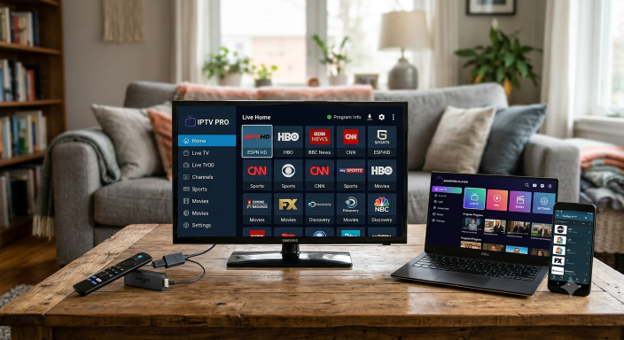
Compare Pricing and Plan Terms
The cheapest plan can end up costing you more in the long run. And paying more doesn’t guarantee a better service either. A simple way to compare is to take each plan’s price and divide it by the number of months. Now you’re comparing like with like.
Yes, the 12-month plans usually work out cheaper per month. But if the service turns bad in month two, you’ve lost a lot more. Our advice? Try it first. Commit later.
Questions to Ask Before Paying
- How many screens can watch at the same time on one account?
- What will the renewal price be?
- Is there a refund policy, and can you see it in writing?
- What happens if a channel you watch gets taken off?
Judge the Quality of Support
Every seller replies fast when you’re about to pay them. The real test is how they reply when you have a problem after you’ve paid.
So before you buy, send them a practical question. Something like “how do I set this up on my Fire Stick?” Then see how long they take to answer, and whether the answer actually makes sense.
What Good Support Looks Like
- More than one way to reach them, like chat, email or a phone number
- Setup steps written in plain, simple language
- Replies that answer what you asked, not a copy-paste message
- Someone around in the evenings and on weekends, because that’s when people watch TV
Check Transparency and Legitimacy
Most people skip this part. Honestly, it might be the most important one. A good iptv service provider usa buyers can trust won’t hide who they are.
Signs of an Open Business
- A business name, email and phone number you can find easily
- Terms of service and a privacy policy on their website
- A straight answer when you ask about content rights and licensing
- Payment options that come with buyer protection
If you ask about licensing and the reply feels vague or dodgy, pay attention to that feeling. Channels streamed without the proper rights can vanish overnight, and you’re the one left with nothing to watch.
Read Reviews With Care
The reviews on a seller’s own website are a starting point and nothing more. Of course they’re going to be positive. Look for what people say on forums, Reddit and independent review sites.
One angry review on its own could be anything. But if ten different people are complaining about the same outage, take it seriously. Also check when the reviews were posted. A service that was great two years ago may not be great today.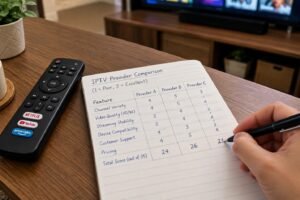
A Quick Scoring Method
If you’re stuck between two or three providers, try putting numbers on it. Give each one a score from 1 to 5 in these areas:
- Channel match
- Stream quality
- Device support
- Price and terms
- Support
- Transparency
Add up the scores. The highest total is usually the best iptv service usa option for your family. And if two of them tie? Go with whichever one felt better during your trial.
Conclusion
Choosing a provider gets much easier when you put every option through the same checks. Look at the channel list and test the streams in the evening. Make sure it works on your devices and check the fine print on pricing. Message support before you pay. See how open the business is about itself, and read reviews with a bit of healthy doubt.
We’d be happy for you to run Champ IPTV through this exact checklist too. You can try our 24-hour free trial and see our Indian channels in Hindi, Tamil, Telugu, Kannada, Punjabi and Gujarati for yourself. Message our WhatsApp support with any question you like. You don’t pay a rupee or a dollar until you’re happy. A reliable iptv service should prove itself before asking for your money, and that’s how we like to work.
Frequently Asked Questions
What makes an IPTV service reliable?
It keeps streaming smoothly at busy times, support actually replies, and the terms are written down clearly. Test it on one weekday evening and once on the weekend, and you’ll find most of its problems.
How much internet speed is needed for HD and 4K?
Roughly, you’ll want about 10 Mbps for standard definition, 20 Mbps for HD, 30 Mbps for Full HD and 50 Mbps or more for 4K. A steady connection matters just as much as speed, so a fast connection that keeps dropping won’t help much.
What is a fair price for an IPTV subscription in the USA?
There’s no single answer, because prices vary a lot. Compare the monthly cost, the channels you’ll get and the terms. If one offer is much cheaper than all the others, ask a few more questions before you pay.
How do I set up an IPTV service on a new device?
Install a player app that works with your provider, then type in the login details or playlist link they send you. Open any live channel to check it’s working. Most providers have a short setup guide for each device, so ask for it if they haven’t sent one.