

Picture this. It’s the 89th minute, the score is level, and your striker is clean through on goal. You lean forward on the couch. And the screen freezes.
By the time the stream comes back, the replay is already on and your phone is full of messages from friends going “DID YOU SEE THAT??” You didn’t. Nobody forgets that feeling.
Almost every sports fan we talk to has a story like this. Nine times out of ten the TV isn’t to blame. The service is. So before you hand over money for any package, it helps to know what separates good IPTV sports channels from the ones that let you down. We’ve kept this guide to things you can check yourself, at home, in a few minutes.
Why a Careful Check Matters
Live sport is unforgiving. If a movie buffers, so what? You wait a bit and carry on. A last-over chase or a penalty shootout won’t wait for you. Once that moment’s gone, it’s gone.
Then there’s the money. Most IPTV plans are sold for a full year. Pick the wrong one and you’ll miss the matches you care about, plus you’re stuck paying for something you gave up on in February. A handful of quick checks can save you all that.
Review the Channel Lineup
Start with what you actually watch, not what looks good on a banner. “25,000 channels!” sounds great. But be honest, how many will you open on a Saturday? Four? Five?
Leagues and Events
Grab a pen (or your notes app) and list the sports you can’t live without. Cricket, football, NBA, NHL, tennis, UFC… they’re often spread across completely different networks.
Then go through the provider’s channel list and look for:
- The exact leagues and tournaments you follow
- Regional sports networks that carry your home team
- Highlights and replay channels for the games you miss
- Event channels that only switch on for big fixtures
Language and Regional Coverage
Lots of fans follow sport from more than one country. Say you live in New Jersey but grew up in Chennai. You probably want India’s away series with Tamil commentary, not just the English feed. Check that your language is actually named on the list. Vague lines like “plenty of international channels” don’t tell you anything.
Judge Picture Quality Honestly
“HD” on a label doesn’t mean much on its own. Sport is fast, and bad video can’t hide for long.
Resolution and Frame Rate
A channel can be labelled HD and still look rough if the frame rate is low. You’ll spot it straight away when a fast bowler comes in and the ball becomes a smudge. Smooth motion matters way more for a match than for a cooking show. So ask which channels run at higher frame rates.
Real HD Versus Stretched Video
Some HD IPTV channels are really just standard video pulled up to fit a big screen. Everything looks a little soft, and the tiny scoreboard in the corner turns blurry.
Our favourite way to test this takes about ten seconds:
- Put a live match on.
- Hit pause when the score is on screen.
- Look closely. Are the numbers and team names crisp?
Sharp text usually means real HD. Fuzzy text usually means it isn’t.
Test Stream Stability at Busy Times
Testing on a quiet weekday afternoon tells you almost nothing. Servers get hammered during big games, so that’s when you want to test.
Watch out for:
- Buffering right at kickoff or in the final ten minutes, when everyone’s tuned in
- Commentary slowly falling out of sync with the picture
- Channels that cut out and restart for no reason
Your Own Internet Matters Too
To be fair to providers, they can’t fix slow internet at your end. Roughly speaking, you’ll want around 20 Mbps for HD, 30 Mbps for Full HD and 50 Mbps or more for 4K. And if you can plug a cable from the router straight into your TV or streaming box, do it. Wi-Fi has a hard time getting through walls, and it’s usually the first thing to drop out on a busy night.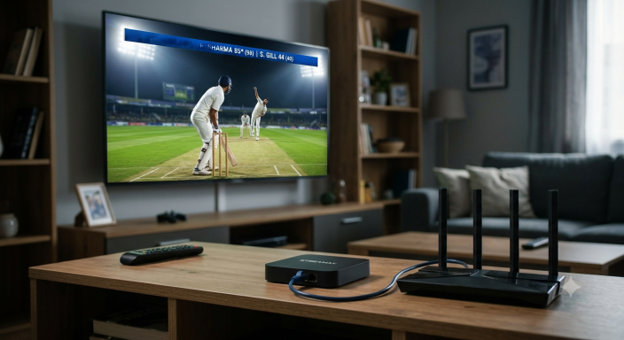
Confirm Device and App Support
It sounds obvious, but people forget to check this all the time. If the service won’t run on the screen you actually watch on, it’s useless to you. Most homes have more than one screen, too.
Ask about:
- Smart TVs (Samsung, LG, Sony and the rest)
- Fire TV Stick and Android TV boxes
- Android phones, iPhones and tablets
- Windows laptops and Macs
- Player apps like TiviMate or IPTV Smarters Pro
Also ask how many devices can stream at once. If Dad’s on the living room TV, your brother’s watching in his room and you’re following on your phone, one connection isn’t going to cut it.
Look at Support and Transparency
Sport doesn’t run on office hours. A Premier League kickoff can be 7:30 a.m. on the West Coast. An India test match can run right through the night in the US. If something breaks at 2 a.m., you want someone who’ll actually answer.
You also want a provider that’s upfront with you. A good one will tell you, without you having to dig:
- What’s included and how long the plan lasts
- How renewals and refunds work
- How to reach a real human when things go wrong
- Where the content comes from and how it’s licensed
And if a price looks unbelievably cheap, be a little suspicious. A service that disappears halfway through the season ends up costing you more than one that charges a fair price from the start.
Use a Free Trial Before Committing
A trial lets you see it for yourself instead of believing the sales pitch. But don’t just switch it on and forget about it. Have a plan.
Here’s what we’d do:
- Pick a live match from a league you actually care about.
- Watch it on your main TV on a regular evening.
- Flip between a few sports channels and see how fast they open.
- Send support a real question and time how long they take to reply.
- Try it on a second device as well.
If it does well on all five, signing up for the full plan feels a lot safer.
Quick Tips for a Smoother Match Day
None of these are complicated, but they help:
- Restart your streaming box about an hour before kickoff.
- Save your go-to sports channels in a favourites list so you’re not scrolling at the last second.
- Check the program guide for start times, especially for games in other time zones.
- Close other apps and pause downloads while the game’s on.
- Keep a backup device charged and ready, just in case.
.
What Good Live TV Streaming in the USA Looks Like
When people are happy with their live TV streaming usa setup, they almost always describe it the same way. Channels open quickly. The picture holds up during the big games. And when something does go wrong, someone sorts it out. That’s worth more than any long list of channel names.
Get a service like that, and match day becomes fun again. You’re watching the game, not the buffering wheel.
Conclusion
At the end of the day, the best iptv sports channels are the ones that don’t let you down when it matters. Check the lineup properly. Pause on the scoreboard. Test on a busy night. Make sure your devices work, and see how support treats you before you’ve paid. Then let a free trial confirm it.
At Champ IPTV, we give you a 24-hour free trial so you can try live sports, HD and 4K, and your own devices before you spend anything. Plans start at $100 for a full year, and our team will walk you through setup and activation. Put us up against anyone you like. Pick us only if we’re the one that holds up.
Frequently Asked Questions
What are IPTV sports channels?
They’re live sports channels that come through your internet connection instead of cable or satellite. You watch them in an app on your TV, phone, tablet or laptop.
How much internet speed do I need for live TV streaming in the USA?
It depends on the picture quality you want. About 20 Mbps is fine for HD, 30 Mbps for Full HD, and 50 Mbps or more for 4K. A steady connection matters more than a big number on a speed test, though.
How can I tell whether HD IPTV channels are truly HD?
Pause a live match and look closely at the scoreboard. If the numbers are sharp, you’re watching real HD. If they look soft or blurry, it’s probably standard video stretched to fill the screen.
Can I watch sports on more than one device?
Most of the time, yes. How many devices can watch at the same time depends on your plan, so check before you buy if more than one person in your home will be watching.